Minesweeper Pro
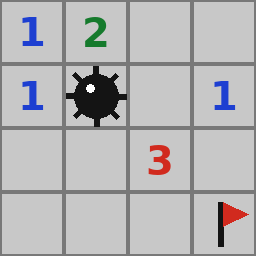
Click or tap to open a square. Right-click to plant a flag; on a phone, switch on the flag button and then tap.
How to play
About Minesweeper Pro
Clear a 9×9 field without touching any of the 10 hidden mines. Each number tells you how many mines sit in the eight squares around it.
The first square you open is never a mine and neither are its neighbours, so every game starts with a small clearing. Opening a square with no mines around it automatically opens the whole empty area. The counter shows the mines still to be flagged, the clock starts with your first click, and your fastest win is saved as your best time.
- #logic
- #classic
- #mines
How to play
Click or tap to open a square. Right-click to plant a flag; on a phone, switch on the flag button and then tap.
- Category
- Classic Games
- Plays on
- Phone, Computer
- Added
- Nov 19, 2026
FAQ
- Can I lose on the first click?
- No. The mines are placed after your first click, so the first square is always safe.
- How do I flag a mine on a phone?
- Turn on the flag button in the top bar, then tap the square you want to mark.
- How do I win?
- Open every square that does not hide a mine. You do not have to flag the mines; flags are only there to help you keep track.
- How do I use the numbers?
- A 1 that touches only one unopened square means that square is a mine. And if a number already has that many flags around it, every other square next to it is safe to open.
- Do I ever have to guess?
- Sometimes. Most boards can be solved by logic, but now and then two squares are equally likely. Leave those for last, when a wrong guess costs the least time.
- Is Minesweeper Pro free to play?
- Yes. Minesweeper Pro is completely free on HakiGame, with no account needed.
- Can I play Minesweeper Pro on my phone?
- Yes. Minesweeper Pro runs in the browser on phones and tablets as well as on computers.
- Do I need to download anything?
- No. Press Play and the game starts on the page. There is nothing to install.